Motion Graphics Templates for Adobe Premiere · DaVinci Resolve · OGraf


Motion Graphics Templates,
made easy.
On-brand graphics templates for Adobe Premiere, DaVinci Resolve and OGraf, locked to your colors, fonts and logos. Each template covers every aspect ratio, and any editor can use it. Order online — your package is ready in two working days.
Easy installation · HD & UHD · 16:9 · 9:16 · 2:3 · 4:5 · 1:1 · every language version of Premiere · DaVinci Resolve · OGraf applications
Adding graphics can be time-consuming and, frankly, repetitive and boring.
The MOGRTizer workflow is designed to take away friction and make the graphics work super fast, so you can focus on telling the story.
These templates are deliberately not flashy. They're simple, sober, bread-and-butter graphics — built for busy content producers in serious organizations to speed up everyday video production, removing their graphics pipeline headaches.
Say what? Why shouldn't Motion Graphics templates be flashy? Read about Graphics as a storytelling tool →
A FEW OF THE TEAMS I’VE MADE TEMPLATES FOR
The short version
Your organization needs graphics templates
Motion Graphics Templates are lower thirds, intros, animated graphs, callouts, social titles, lists and more. Custom templates let your team deliver more content, faster, while staying perfectly on brand. Think of them as motion graphics for people who don’t do motion graphics.
2X+
Faster edits
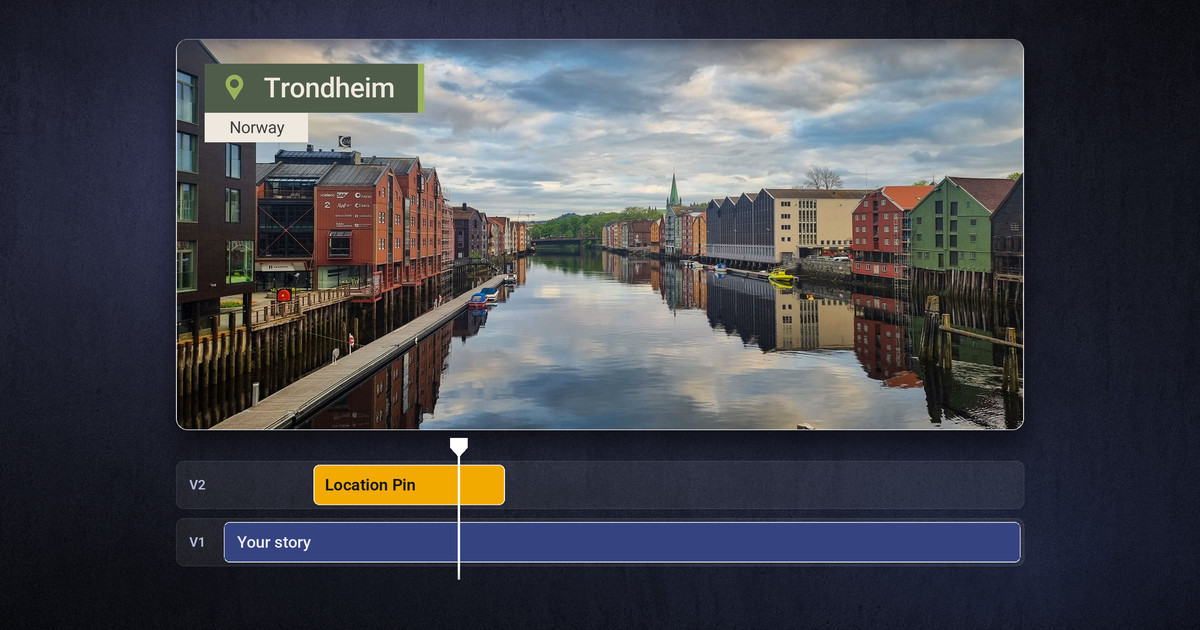
Drop it on the timeline, type the text, done. The repetitive graphics work disappears from every edit — and the MOGRTizer Batch Sync and Timeline Plotter plugins, included in every package, make the job faster still.
100%
On Brand
Locked to brand colors, fonts and logo — consistent no matter who edits. Even freelancers!
5
Aspect ratios, one template
16:9, 9:16, 2:3, 4:5 and 1:1 — no re-typing text for each format.
Zero
Manuals needed
Idiot-proof controls: dropdowns and checkboxes any editor can use.
MADE FORSocial-media content creatorsYouTubersMarketing & info teamsTraining & e-learning editorsDocumentary editors
…and the managers and team leads who buy templates for them.
Use the tools you like
One template package, two editing apps — and live streaming
Your templates aren't locked to one program. Every package works in Adobe Premiere and DaVinci Resolve — and in OGraf players for live production. Same brand lock, same easy controls, no extra cost.
Love Adobe Premiere?
Your colleagues cut in Resolve, but you're fastest in Premiere. Now you can all use the same templates — and everyone's happy.
Prefer DaVinci Resolve?
Some editors would rather cut in Resolve, but the organization's templates keep them in Premiere. With MOGRTizer, the same graphics are ready in both.
Want it simpler?
Not everyone wants a professional editing program. CuttingRoom is a simple, cloud-based editor that runs in the browser. Support for CuttingRoom is coming soon.
Going live?
The templates also play in live production and streaming software, so your live streams look exactly like the rest of your videos.
Three ways to get there
Pick the path that fits your budget
Whether you want it done for you, done with you, or done by you — there’s a route in.
Fastest · most affordable
Build it yourself, automatically
$499 $299 — introductory price until December 20, 2026
Use the Online MOGRTizer template builder: choose a package and animation style, drop in your brand colors, fonts and logo, and get a full set of MOGRTs and OGraf graphics — every aspect ratio, HD & 4K, Safe Zones included. Ready within two working days.
Done for you
Get a bespoke package
Custom-built, or converted from the Premiere or After Effects templates you already have – when they aren't locked to your colors, fonts and logos, or you have one template per format instead of one that covers every format. Made to your design manual, locked to brand, optimized for smooth playback.
Done by you
Learn to build your own
A hands-on workshop for a few of your staff. Learn the techniques and build real MOGRTs together — so you can keep making them in-house.
Cohesive motion language
The Standard package
$499 $299 — introductory price until December 20, 2026
Eleven templates that cover everyday video: Lower Third, Location Pin, Quote, Big Title, Info Text, Text with Box Highlights, Bullet List, Call to Action, Credits, Outro and Logo Bug. Every one locked to your brand, in every aspect ratio, in the animation style you choose. Choose from ten animation styles: One Block, Up-up-up, Double Take, Reveal, Pop, Glitch, Plain, Tilted, Split and Step.
Imagine these with your colors, your fonts, your logos, your URLs
Lower Third
Name and title — or any other info.
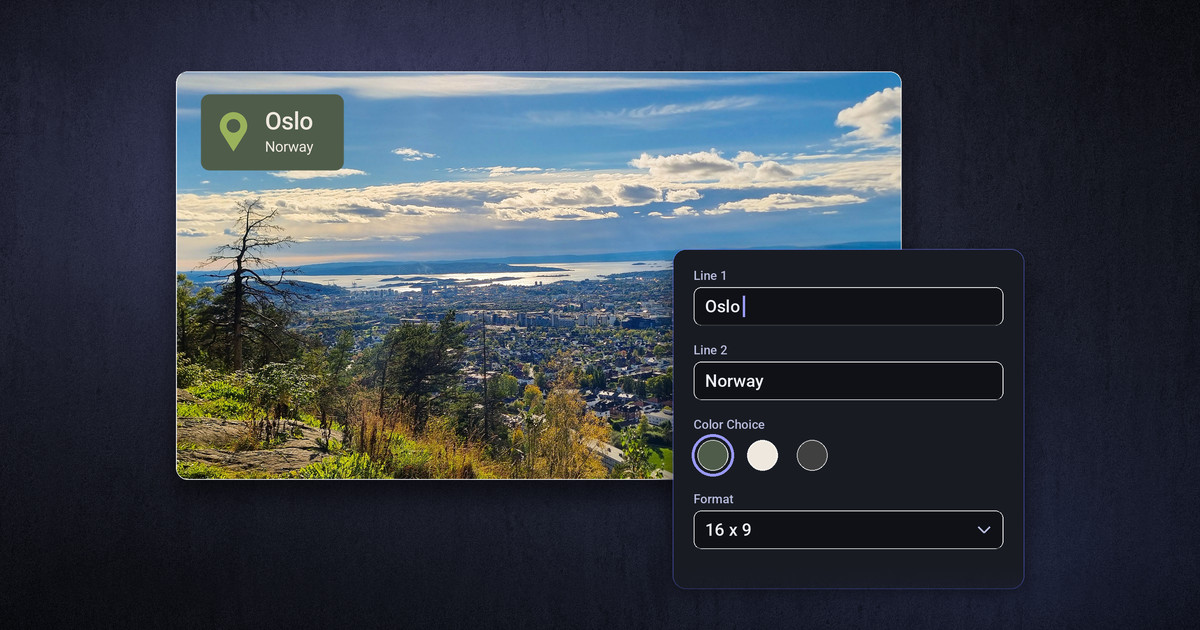
Location Pin
Place and region next to a pin.
Pin can be turned off.
Quote
Quote marks around the text, with name and role. Option to darken the video behind it.
Big Title
Background: Clear, Box or Full. Option to darken the video behind it.
Info Text
Longer text that breaks into lines by itself. Highlight selected words.
Text with Box Highlights
Highlight selected words in Accents, Ascenders, Marker or Underline style. Option to darken the video behind it.
Bullet List
Round, square, diamond, triangle or arrow bullets, or check mark and cross, or none.
Call to Action
Basic CTA. Choose Arrow Direction, or hide the arrow.
Credits
Choose which lines are roles and names.
Outro
Closing line and URL or other info, with your logo if you want.
Logo Bug
Logo in a corner or centred. Choose between up to four logos.
Need another template?
Just ask →
Do you need more customization? Maybe a dropdown menu to choose between two or more fonts? Or multiple animation styles in one template? Or a whole new template? Contact me, and we'll make it happen.
Cohesive motion language
Choose your animation style
Same building blocks, same easy controls — a different look and feel.
One Block
One plate carries every line. Calm and compact.
Up-up-up
One box per text, and every entrance travels upward.
Double Take
A box per text with an accent bar; the background wipes open sideways.
Reveal
Boxes that roll out from the edge opposite their alignment.
Pop
Boxes with an accent bar that grow and overshoot before they settle.
Glitch
The text tears into glitching slices on the way in and out.
Plain
Quiet and flat: the text with a thin vertical line beside it.
Tilted
Tilted headings on rounded boxes that overlap.
Split
The texts sit either side of a vertical line and travel toward it.
Step
Boxes in a stepped indent, row by row.
The MOGRTizer
From your brand to ready-to-use templates
— in four steps
Choose a package
1
Start with the Standard package — eleven everyday templates. More packages are on their way.
Choose a style
2
Pick one of the animation styles for a cohesive look.
Add your brand
3
Hex or RGB colors, your fonts (Adobe Fonts or fonts you provide), and your logo.
Get your templates
4
Locked to brand, every aspect ratio, HD & 4K — as MOGRTs and OGraf graphics. Safe Zones template included.
⏱Ready within two working days
Each package gets a bit of hands-on craft, so the files don’t arrive the moment you pay. You’ll usually have your finished templates within two working days — checked by me before they go out.
Plug-in 1 · included
Change every MOGRT at once — with one click
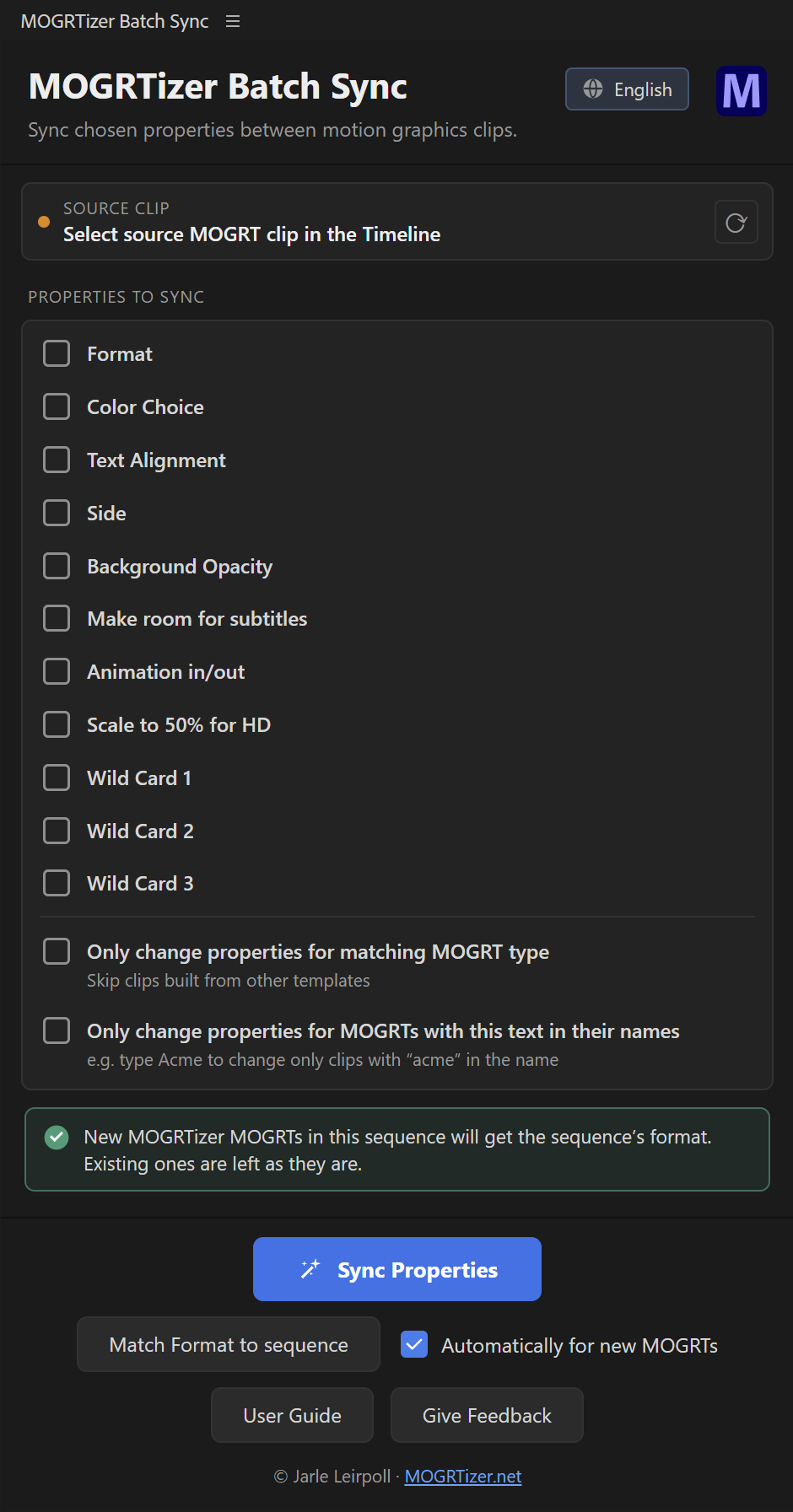
Every MOGRTizer template package includes the MOGRTizer Batch Sync plugin for Premiere and DaVinci Resolve Studio. Select one clip, make a change, hit one button, and it updates the colors, format and whatever else you choose across all the MOGRTs in your timeline at the same time. Re-skin a whole campaign in seconds.
✓ One-click color, format, and other changes across many clips at once
✓ Switch 16:9 ↔ 9:16 ↔ 2:3 ↔ 4:5 ↔ 1:1 in bulk in Premiere — no re-typing
✓ Included with every MOGRTizer template package
✓ Soon available on Adobe Marketplace
Plug-in 2 · included
Build your timeline graphics in a spreadsheet
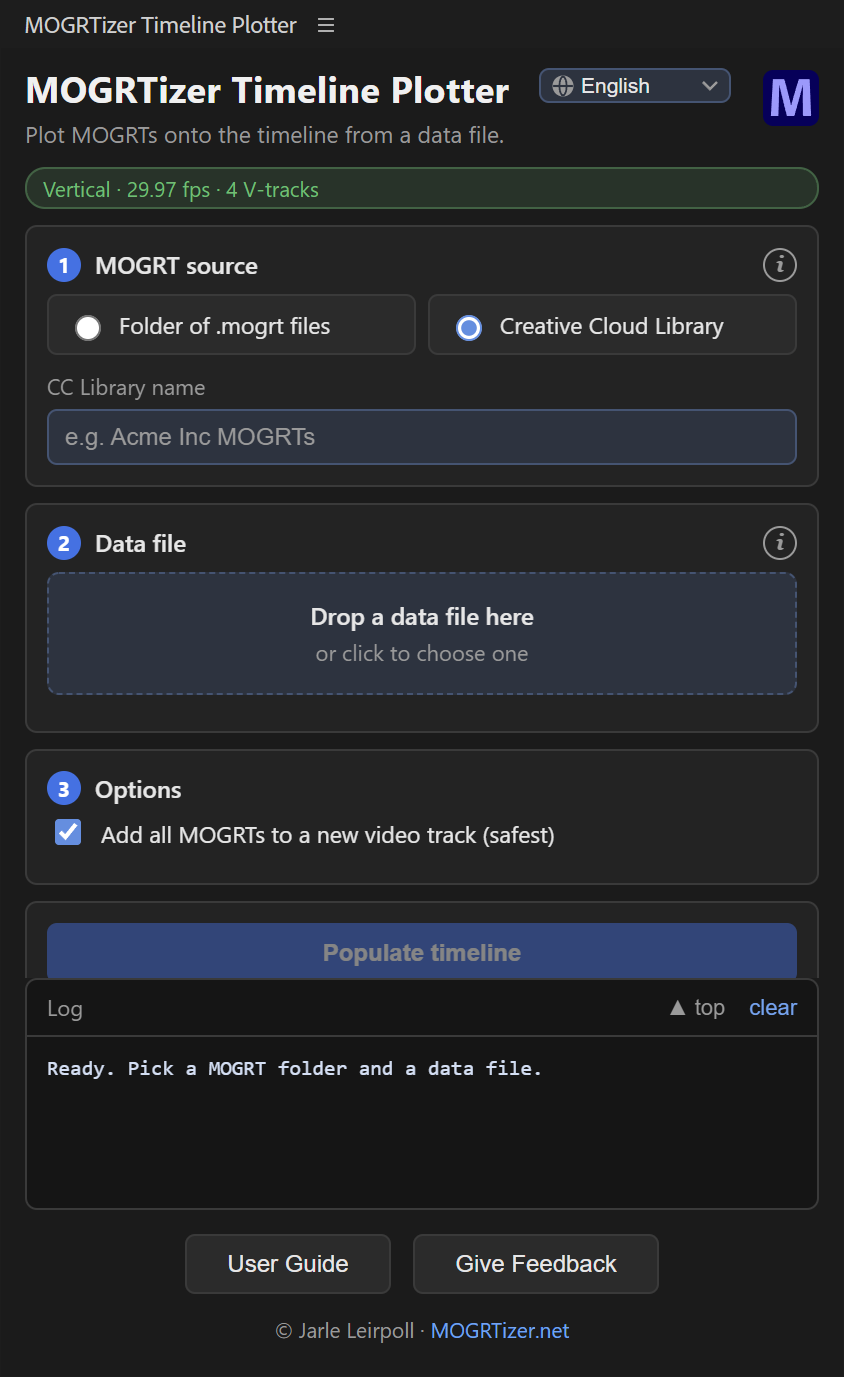
Every MOGRTizer template package also includes the MOGRTizer Timeline Plotter plugin for Premiere and DaVinci Resolve Studio. Enter timecodes, MOGRT text and dropdown settings on the MOGRTizer Data File Builder page, or — if you prefer to work off-grid — in a spreadsheet.
Then feed the data file to the plugin, and watch your timeline get auto-populated with graphics!
✓ Can control Text, Dropdown Menu and Checkbox settings in any Premiere MOGRT, and in MOGRTizer's OGraf templates in Resolve Studio
✓ Puts graphics at the desired timecode
✓ Included with every MOGRTizer template package
✓ Soon available on Adobe Marketplace
Why buy from me
Stock MOGRTs vs. MOGRTizer
Bought templates are useful — but limiting and off-brand. Here’s the honest comparison.
Feature
Stock MOGRTs
MOGRTizer templates
Custom made MOGRTs
Locked to your brand colors
✕
✓
✓
Locked to your brand fonts
✕
✓
✓
Contains your logo
Must be added every time
✓
✓
All aspect ratios in one template
Separate files
One template
✓
4:5 and 2:3 support
Usually none
✓
✓
Social video safe zones aware
Sometimes
✓
✓
Works in every language version of Premiere
Sometimes
Universalized
Customer decides
Works in CuttingRoom (coming soon)
✕
✓
Extra cost
Works in OGraf applications and DaVinci Resolve
✕
✓
Extra cost
Optimized for smooth playback
Varies — a lot
✓
✓
Tailored animation style and design
✕
Choose between limited styles
✓
Price
Cheap
Budget friendly
Costly
The main advantage of stock MOGRTs? They’re cheaper. And they’re… eh… well… no, I lied. There are no more advantages. 😄
Who makes these?
I love making Motion Graphics Templates
I’m Jarle Leirpoll. I’ve built Motion Graphics templates for big broadcasters and small teams alike, and I’ve taught After Effects and Premiere to editors and motion artists for years. I even wrote Adobe’s official “Making MOGRTs” guide — but mostly, I just really enjoy making templates that make editing easier.

Author, “The Cool Stuff in Premiere Pro”Wrote “Making MOGRTs” for AdobeWrote deep-dive articles for frame.ioWrote the “Best Practices Guide for Adobe Premiere Pro” with the Adobe teamTeaching editors & motion artists for 30 years
What exactly are Motion Graphics?
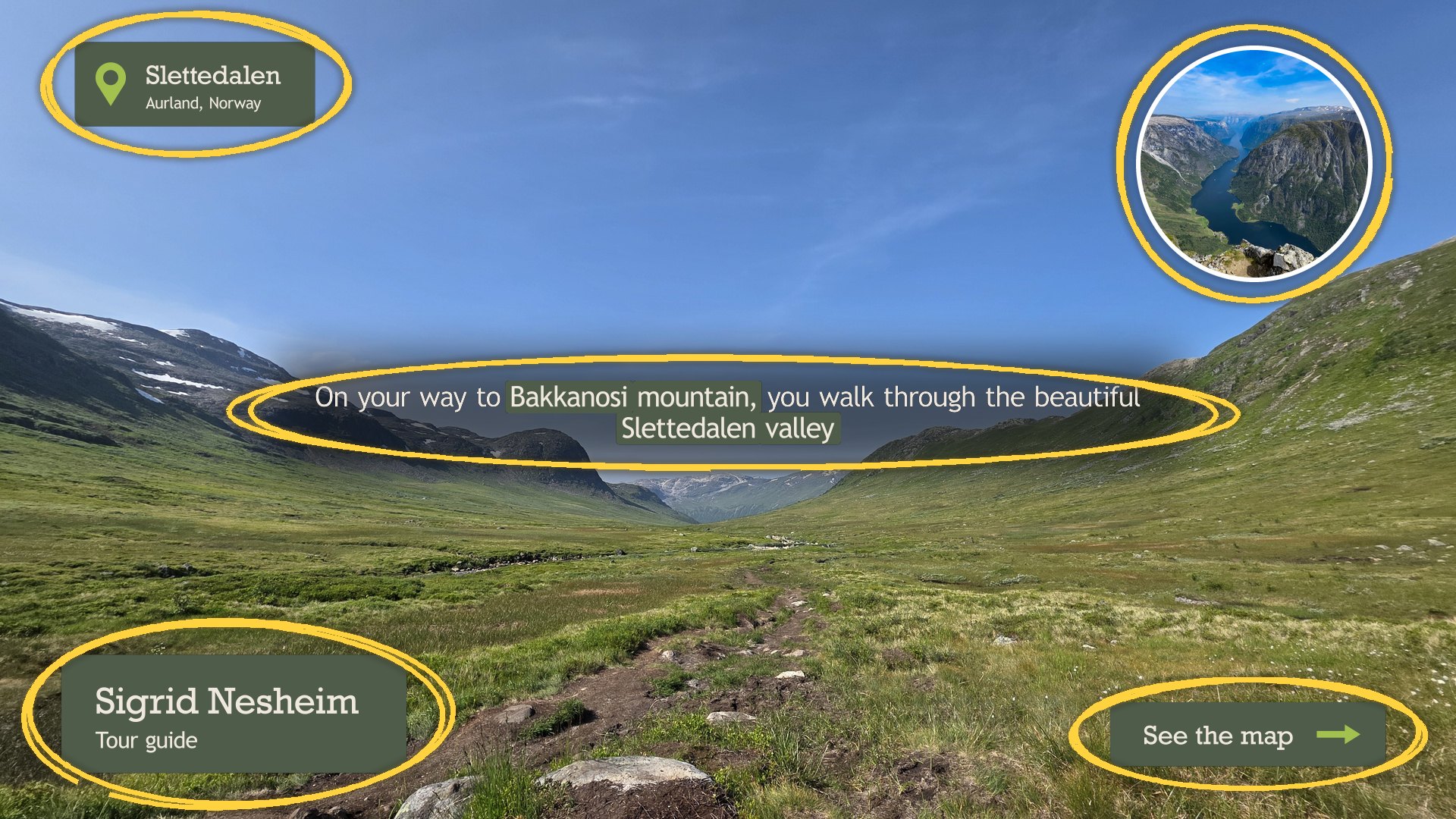
Everything that's circled in the screenshot is a Motion Graphics element. Oh, and the circle that highlighted them! Motion Graphics are everywhere!
When you see names, titles, scoreboards, graphs, arrows, highlighters, picture in picture effects, intros, outros, transitions, and every type of graphics laid over the video frame, or filling the whole screen — that's you watching Motion Graphics.
★ Free download
Grab the free Social Video Safe Zones template for Premiere, DaVinci Resolve and OGraf
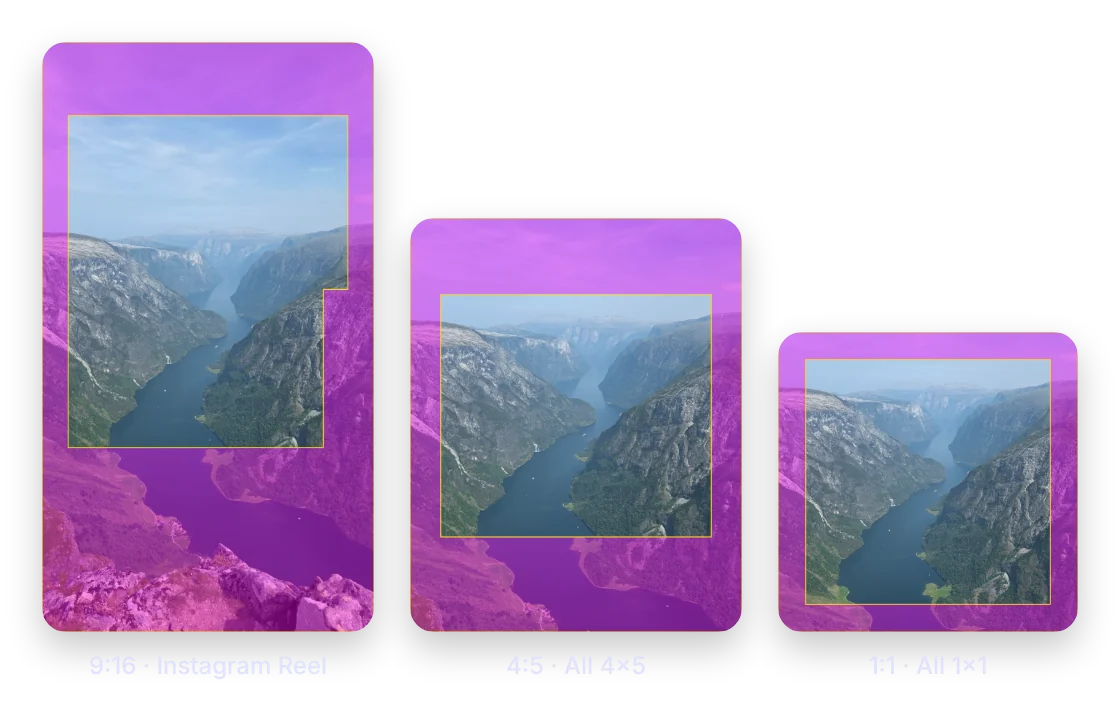
Reels, Shorts, TikTok, LinkedIn, Pinterest: every app hides part of your video behind buttons, captions and profile names, and no two apps do it the same way. This template shows you exactly where, in all five aspect ratios:
Pick a platform, or choose All to see the area that is safe everywhere at once. Drop it on your timeline as a guide overlay, and your titles stay clear on every feed. MOGRTizer customers get it free — and so can you.
You download it from Gumroad, which asks for your email address. I only send you MOGRTizer news if you say yes.
Knowledge hub
Learn MOGRTs from the source
Answer-first guides for people using and building Motion Graphics Templates.
What Are MOGRTs? A Plain-English Guide to Motion Graphics Templates
A MOGRT is a reusable, editable graphic you drop straight into Premiere. Here is what Motion Graphics Templates are, what they do, and why brands use them.
Graphics Templates Are Storytelling Tools
Motion graphics are an integrated part of your story — or at least they should be. A good template does one job well:...
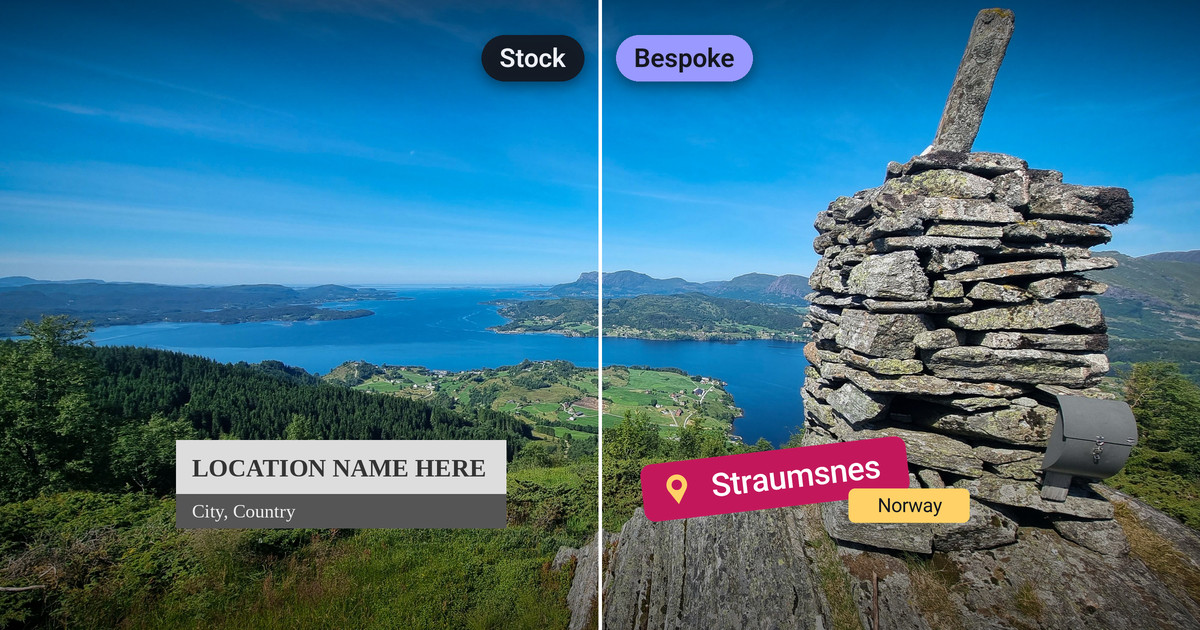
Stock vs. Bespoke: How to Get Custom MOGRTs Made for Your Brand
Stock templates are cheap but generic. Bespoke MOGRTs lock to your colors, fonts and logo and work in every format. Here are the ways to get them made.
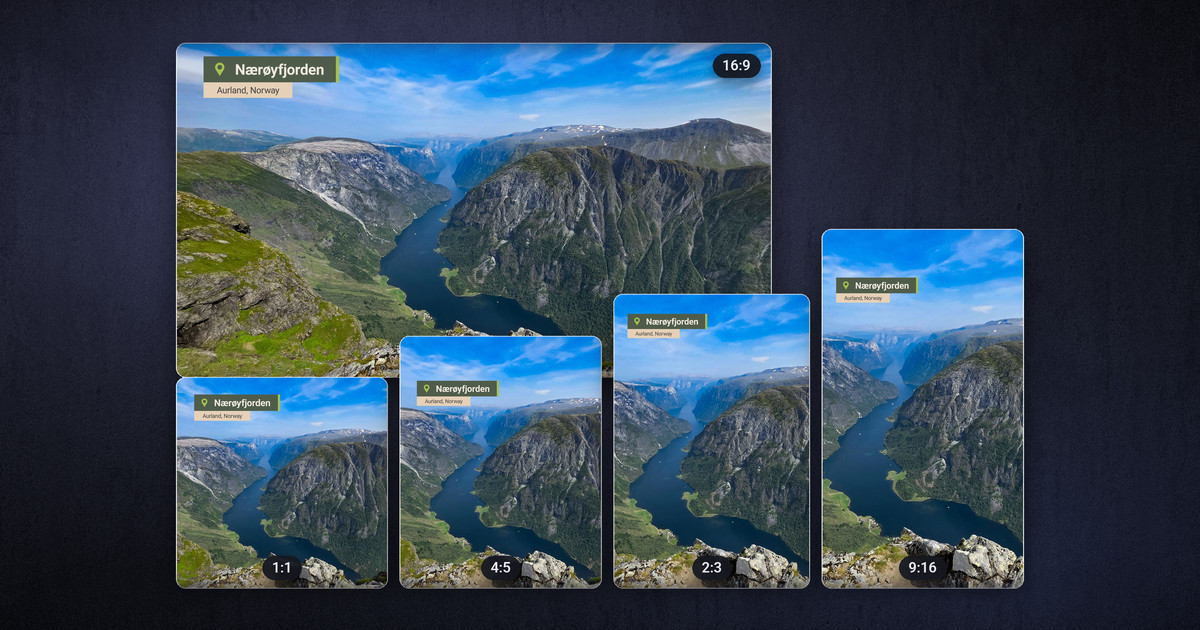
One Template, Every Aspect Ratio: MOGRTs for 16:9, 9:16, 2:3, 4:5 and 1:1
Publish natively everywhere with a single After Effects template and a frame-size dropdown, so editors switch format without retyping a word. Here is how.
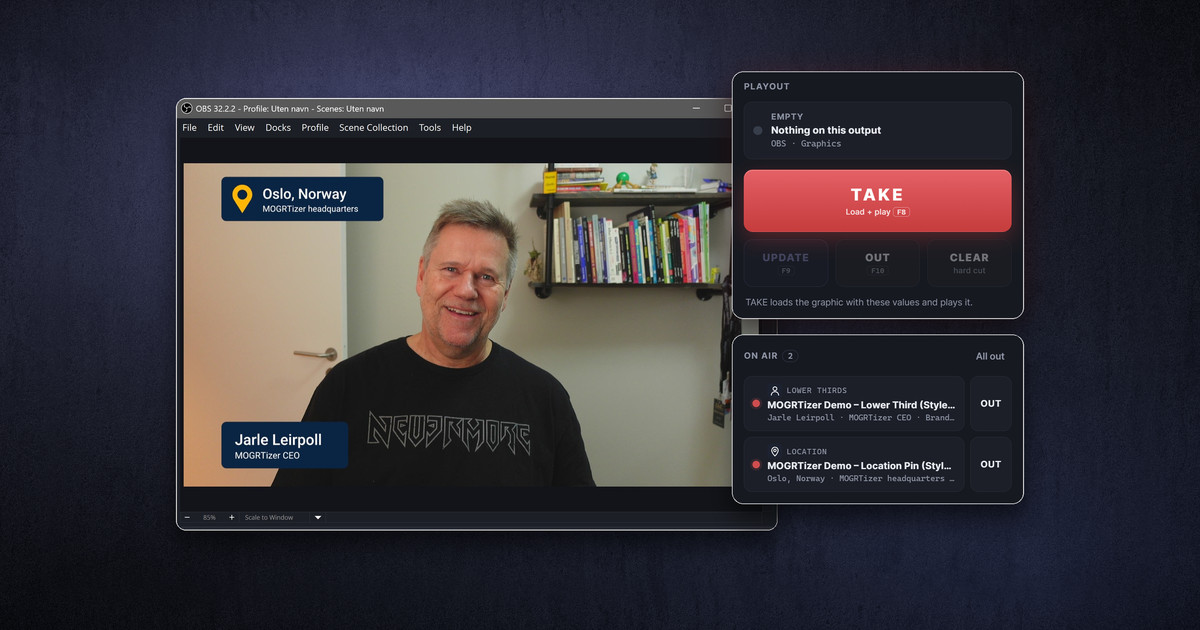
How to Use OGraf Templates in OBS Studio — for Free
Play OGraf broadcast graphics live in OBS Studio for free. Why you would, how ograf-server, SPX and CasparCG compare, and a step-by-step setup.
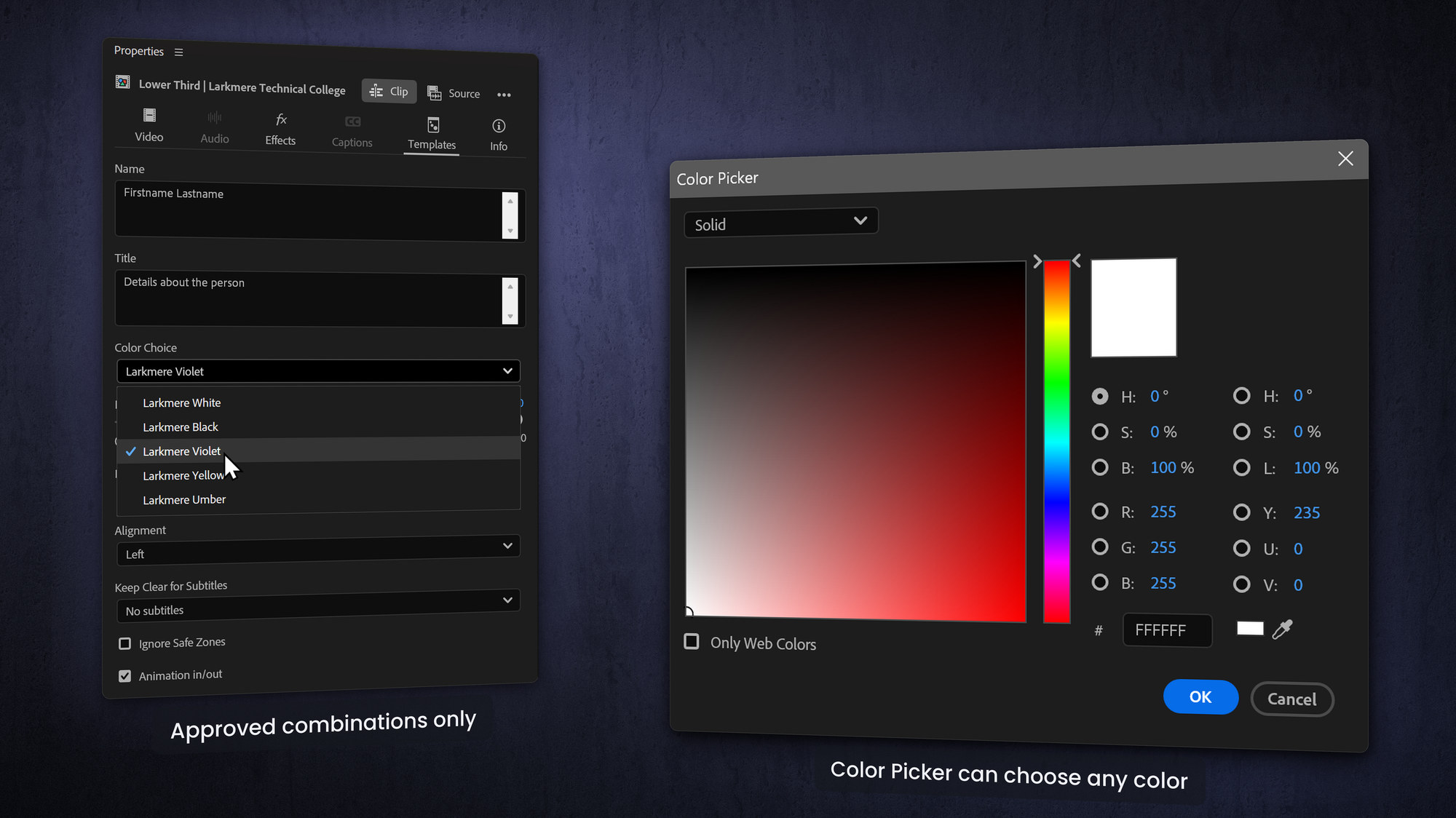
Flexibility vs. Brand Consistency: Finding the Right Balance
Great branded templates give editors enough freedom to tell the story while making it nearly impossible to go off-brand. Here is how to strike the balance.
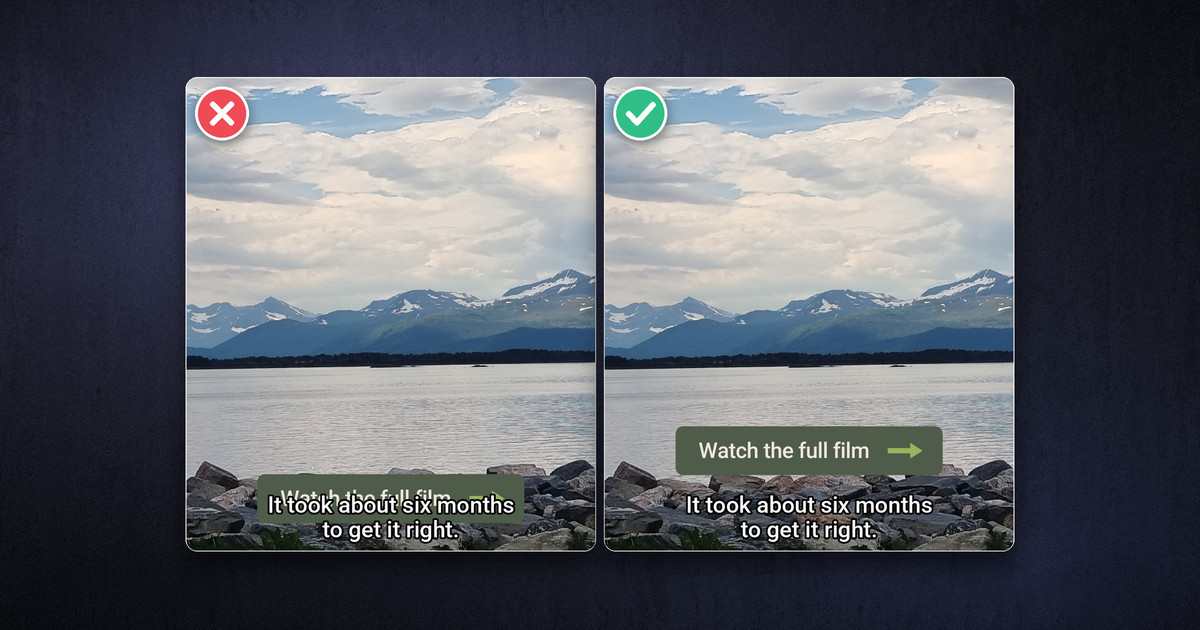
Designing User-Friendly MOGRTs (With Guardrails That Prevent Mistakes)
A good MOGRT is idiot-proof: self-explanatory controls that make the right result easy and the wrong result hard. Best practices for user-friendly templates.
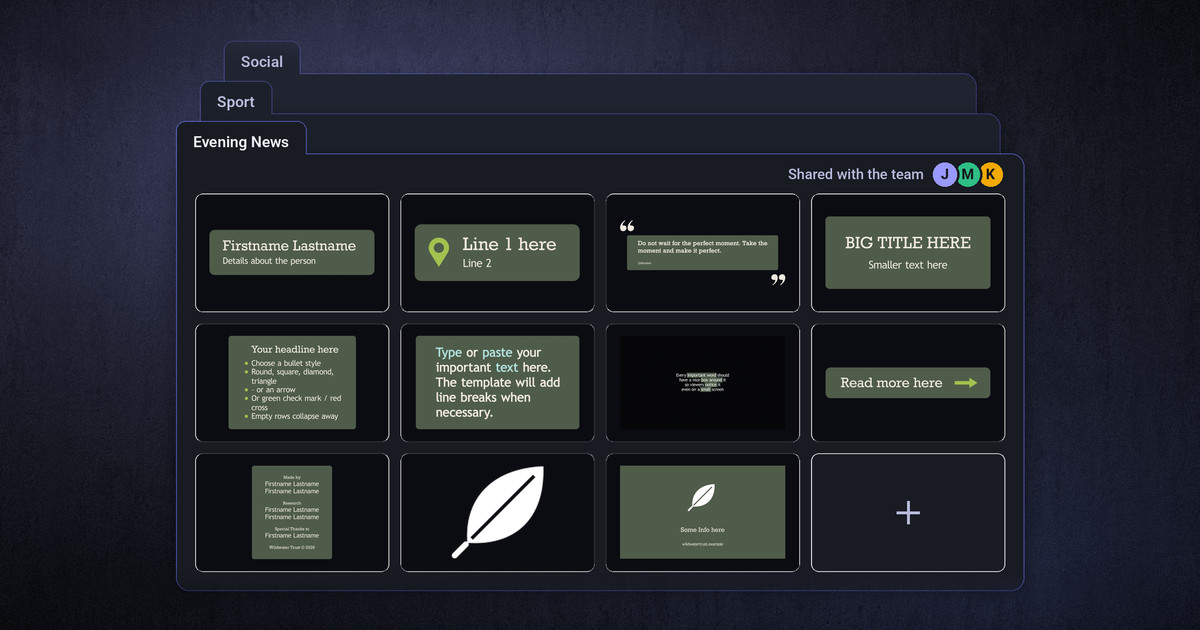
How to Organize, Share and Reuse Your MOGRT Library
Treat your MOGRTs like a library, not a junk drawer: custom folders, shared libraries for teams, and tricks to keep heavy templates loading instantly.
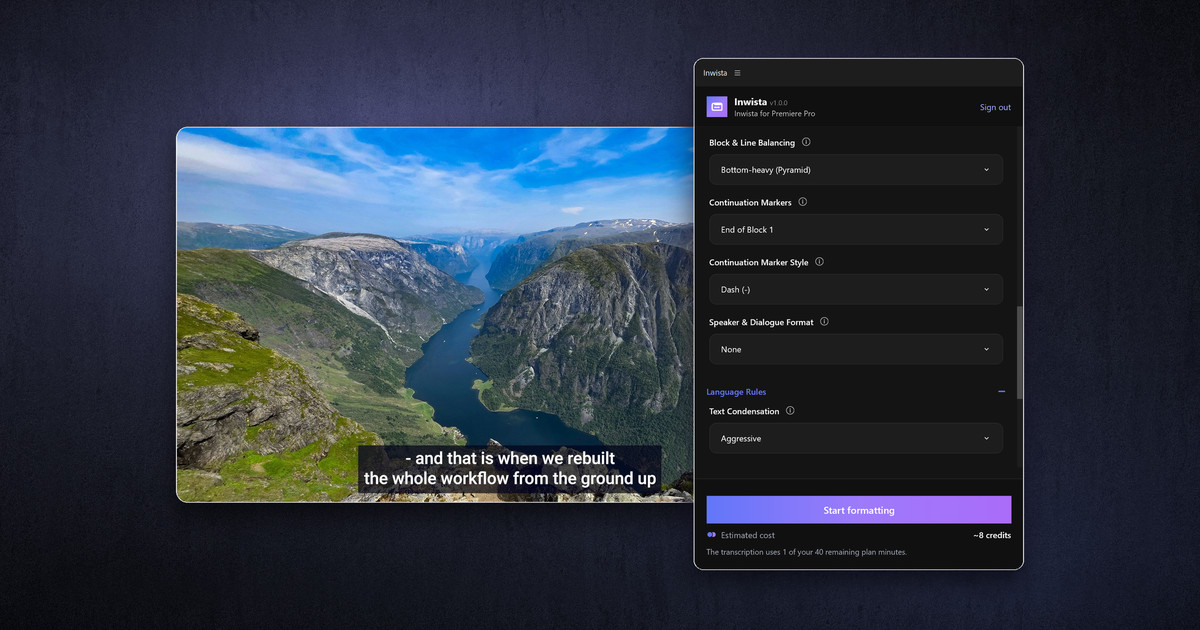
The Inwista Panel: The Subtitle Workflow Premiere Should Have Had
Send your Premiere sequence to Inwista from a panel, finish the mix and the grade, and get subtitles back that read like a professional made them.
Good questions
Frequently asked
What exactly is a MOGRT?
A MOGRT (Motion Graphics Template, file extension .mogrt) is a pre-animated graphic you drop straight onto your timeline — lower thirds, intros, animated charts, callouts, social titles and more. You edit the text, colors and media through simple controls in the Properties panel. The OGraf versions work the same way in DaVinci Resolve and OGraf players.
Do they work in vertical and square formats?
Yes — one template covers 16:9, 9:16, 2:3, 4:5 and 1:1, in HD and 4K, without re-typing your text for each format. This saves a lot of copy/paste operations when versioning in different formats. You can change the format for all the MOGRTs in the timeline with one click using the MOGRTizer Batch Sync plugin.
Can you match our exact brand?
That’s the whole point. Templates are locked to your brand colors, fonts and logo, so everything your team makes stays consistent — even with freelancers and agencies. If you have very special needs, just contact me, and we'll find a solution for a custom build.
What’s the fastest, most affordable option?
The Online MOGRTizer template builder. Choose a package and style, add your brand assets, and receive a full set of on-brand templates, as MOGRTs and OGraf graphics. For something fully bespoke, contact me for a quote.
How much does a MOGRTizer package cost?
The Standard package costs $499. Until December 20, 2026, the introductory price is $299. Bespoke packages and workshops are quoted individually.
Do you offer training?
Yes — I run hands-on workshops where selected members of your team learn the techniques and build real MOGRTs with me, so you can keep creating them in-house.
What's with the MOGRTizer name?
It's a nod to where it all started: With MOGRTs, Adobe's graphics template format for Premiere; files with a .mogrt file suffix, commonly just referred to as MOGRTs /ˈmoʊɡərts/.
In 2015, I did a presentation on “Automated Motion Graphics Using Premiere Pro and After Effects” at the Adobe Video World conference in San Jose. I was "hacking" the Live Text templates feature, by sending code in invisible text layers. Two persons from the After Effects team approached me and said; We need to talk. After our conversation, one of them said, "We have created a monster!"
So I got involved with the Adobe team when they built the MOGRT workflow between Premiere and After Effects, initially named Capsules. After the release of the new MOGRTs feature, I was asked to write an E-book on how to make templates using the new workflow.
Then it snowballed into me building MOGRTs for companies all over the world. Then the team from CuttingRoom approached me, and asked if I could convert Premiere MOGRTs to the format their editing solution uses – so I started doing that kind of work. Then a customer asked if I could also deliver their new Premiere templates in the OGraf format - so I started doing that. And now I've built the MOGRTizer service, and some time-saving plugins for MOGRT users.
I'm eagerly waiting for whatever my next chapter will be. I do know it's going to be kickstarted yet another time by a request from a customer.
Do you also deliver for OGraf, DaVinci Resolve or CuttingRoom?
Yes. Every package includes both: MOGRTs for Adobe Premiere (26.0 or newer), and OGraf graphics for OGraf Players and DaVinci Resolve (21.1.2 or newer). Same templates, same brand lock, no extra cost. Support for OGraf in DaVinci Resolve is brand new, so the templates can feel a little slow to load there. Performance is expected to improve considerably with coming updates. CuttingRoom support is coming soon.
Why build MOGRTs in After Effects instead of Premiere?
MOGRTs built in After Effects can be locked to restricted choices; Company colors, fonts and other design rules. The user can not choose to do anything off brand. After Effects also gives you real animation tools and JavaScript expressions, so templates can be smarter, smoother and far more user-friendly. The result still works as a simple .mogrt.
Will they work in my language version of Premiere?
Yes. Every MOGRTizer template is “Universalized” using the ExpressionUniversalizer plugin, so controls work whether your Premiere is in English, German, French or any other language.
Let’s go
Let’s get your brand moving
— without breaking the budget
Order your package in minutes, or reach out for a bespoke build or a workshop.
Contact
Let’s talk templates
Quote for a package, a training workshop, or anything else.
Reach me directly
Jarle Leirpoll
Sandakerveien 52 A
0477 Oslo, Norway
+4790763363
Prefer a call? I’m happy to jump on Zoom, Teams or Meet to talk through what you need.