A MOGRT is only as portable as its dependencies. If it relies on a font the recipient does not have, a plug-in they have not installed, or expression code tied to English-language Premiere, it will break the moment it leaves your machine.
Three habits keep templates working everywhere: use Adobe Fonts, avoid third-party plug-ins, and Universalize the code.
Fonts: use Adobe Fonts
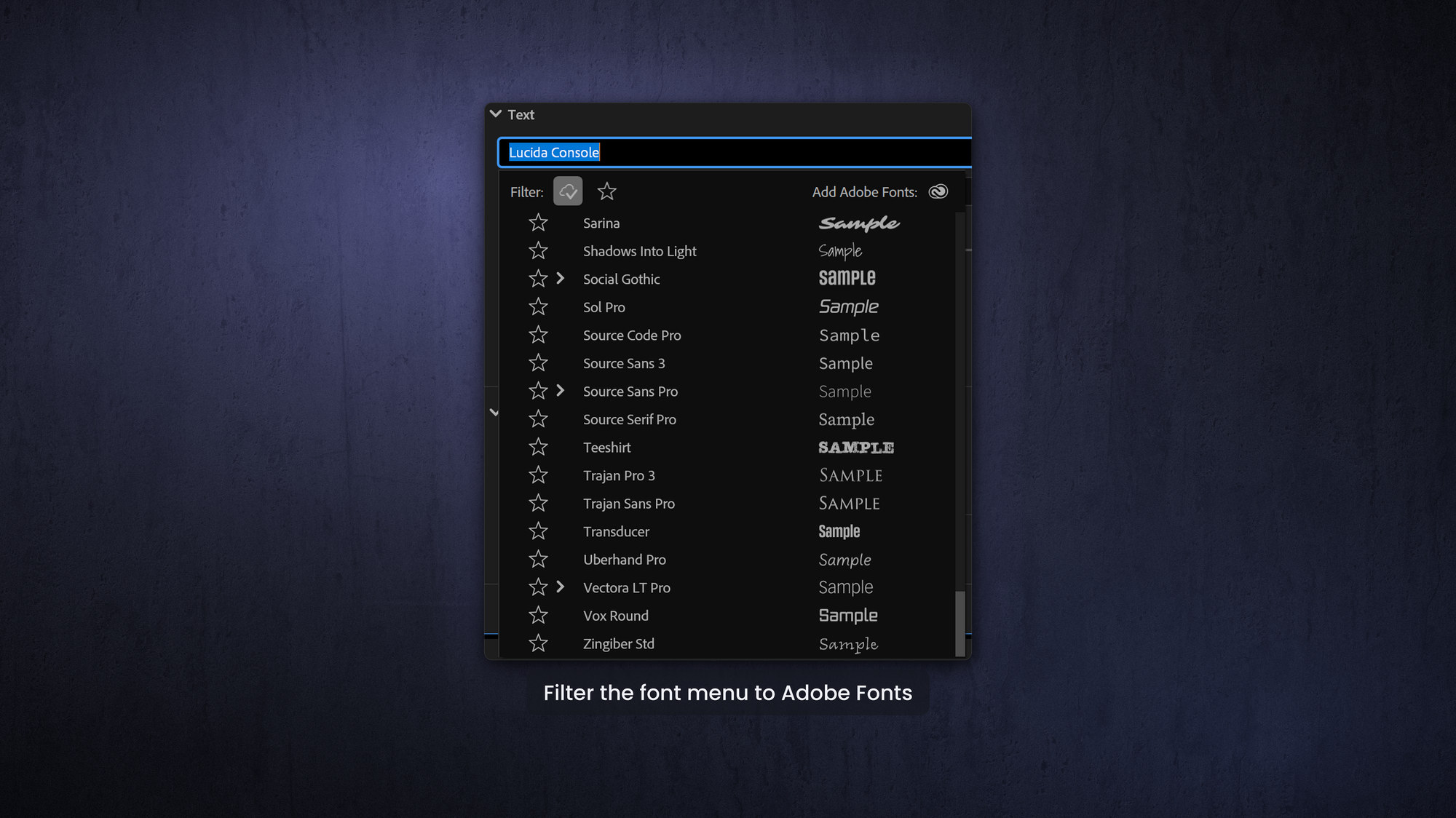
Fonts are the most common way a template falls apart on someone else's computer. If you send a template that uses an Adobe font and the recipient does not have it, Premiere installs it automatically. If you use a company font that is not on Adobe Fonts and the recipient does not have it installed, Premiere substitutes a replacement font. You do have somme control over which one, as you can choose it in the Missing Font Replacement setting in Preferences for Graphics — but may users aren't even aware that this setting exists. A title that should be your brand face can default to something embarrassing (Comic Sans?).
My advice to clients is to upload a screenshot of their brand font to Adobe Fonts and find an almost identical match, of which there are usually thousands. It is far better that everyone gets a 99 percent correct font than that some titles fall back to Comic Sans.
The font police will be none the wiser. If you genuinely must use a non-Adobe font, you can, but you will need to supply and install the font file wherever the template is used, which is extra work and cost.
Plug-ins: do not depend on them
Third-party plug-ins are the second portability trap. If a template relies on an effect the recipient has not bought and installed, it will come in broken or offline on their system. Build with native After Effects effects (that is not a typo!) so the template works on any machine, out of the box. There is a happy side effect here: native, GPU-accelerated effects are often faster, so avoiding plug-ins improves playback as well as compatibility.
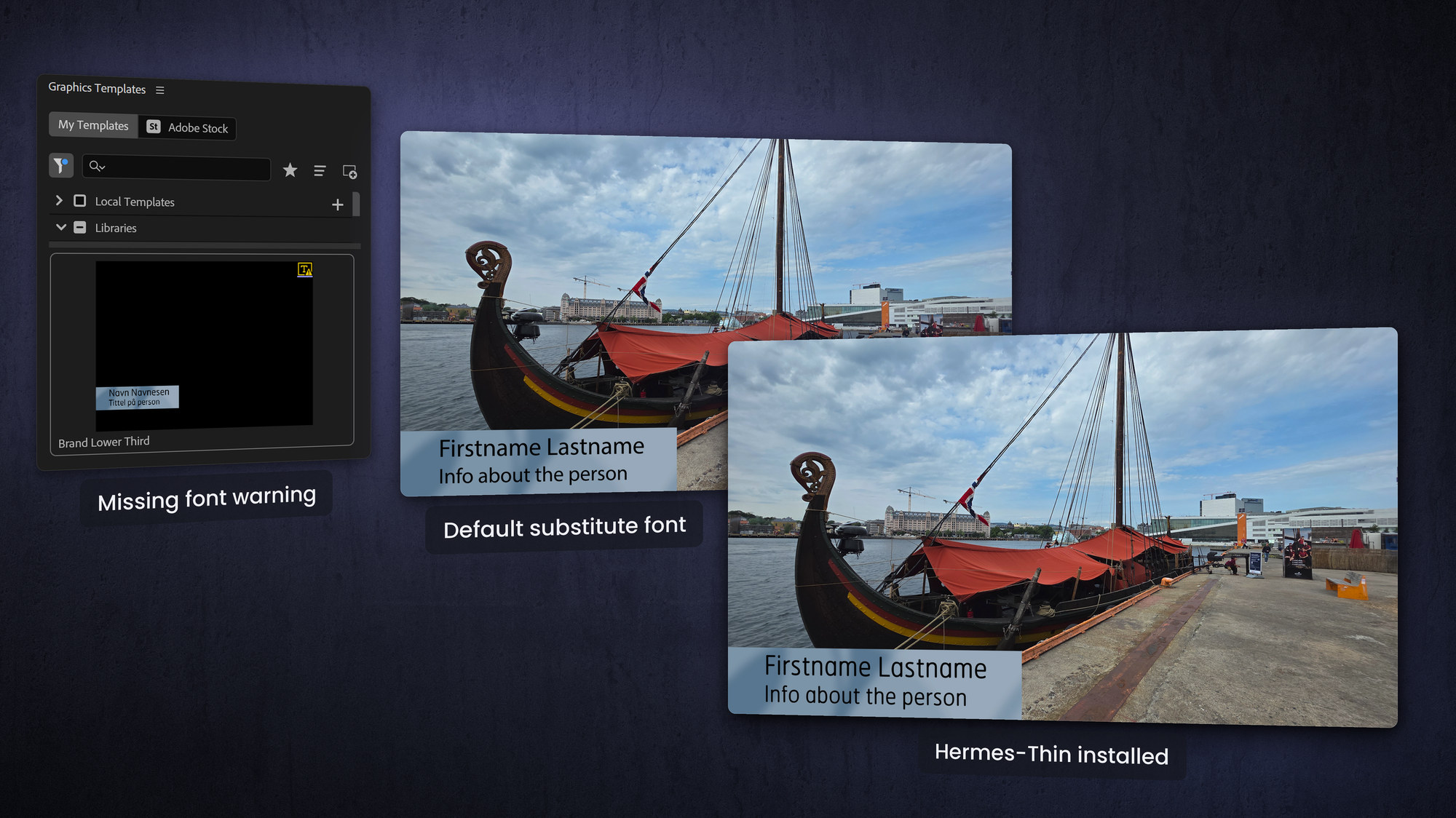
The overall differences between the fonts in this image are subtle, and a busy editor or content creator may not notice it. But focus on the letters a and f and you'll see a huge difference.
Universalize for every language
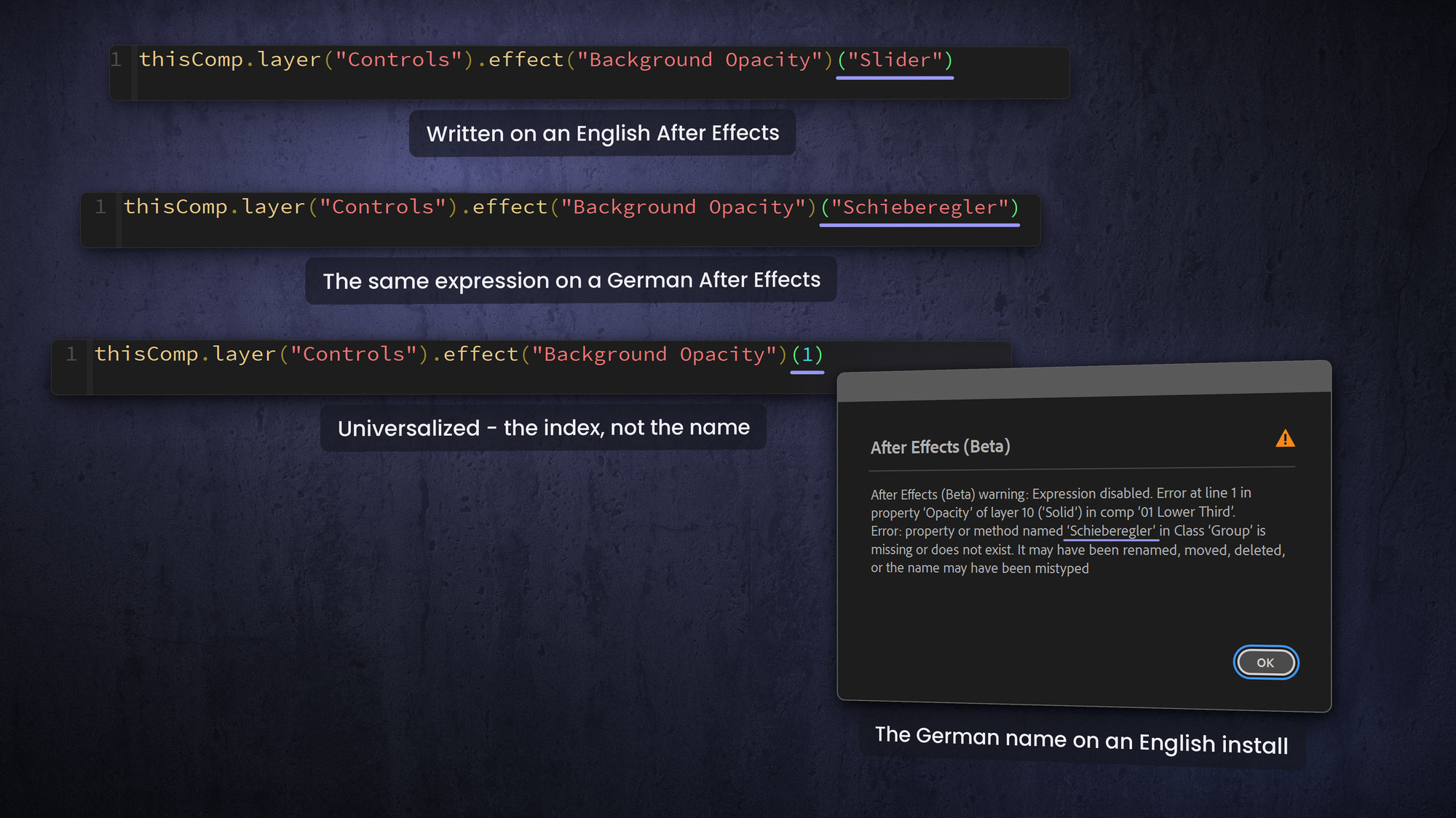
This one is easily missed. The names of expression controls and effects change with the language version of Premiere and After Effects. A Slider Control is called Schieberegler in German and Paramètre glissière in French. If your expressions reference those names in English, they break for an editor running Premiere in another language.
Universalizing converts the code so it works in all language versions, which matters the moment you share templates with international teams, partners or clients. Every MOGRTizer template is Universalized for exactly this reason.
You can write universal expressions by holding down Alt/Option when using the pickwhip. An example:
Instead of this: effect("Slider Control")("Slider")
you'll get this: effect("ADBE Slider Control")("ADBE Slider Control-0001")
An easier way is to buy the Expression Universalizer plugin.
About interlacing and frame rate
One more compatibility gotcha worth repeating: templates made in After Effects do not support fields, so for an interlaced timeline you build at the field rate, which is double the frame rate (50p for a 50i timeline, 60p for a 60i timeline) and set motion blur to 360 degrees so the motion matches interlaced footage. This is easy to forget until a template looks wrong on a broadcast timeline.
Frequently asked questions
Why do my MOGRT fonts change on someone else's computer?
Because the font is not installed there. Adobe fonts install automatically, but a missing non-Adobe font is replaced by whatever Premiere chooses. Use Adobe Fonts or supply the font file.
Do MOGRTs need plug-ins installed to work?
Only if you built them with third-party effects. Templates that use native effects work without extra installs, and native GPU effects play back faster too.
Will my MOGRTs work in German or French Premiere?
Only if it is Universalized. Effect and control names differ by language, so un-universalized expressions break in non-English versions.
What does Universalized mean for a MOGRT?
It means the expression code has been converted so it works in every language version of Premiere and After Effects, regardless of how controls are named locally.